
Using ProJor for Code Generation at sio.sh
Using ProJor for Code Generation at sio.sh
At SIOCODE, we maintain a large collection of client-side applications under the sio.sh domain. These applications—including qr.sio.sh, barcode.sio.sh, notes.sio.sh, and many more—all work entirely in your browser, storing data locally without requiring any backend infrastructure. Managing this growing ecosystem presented us with a significant challenge: how do we maintain consistency, quality, and shared functionality across dozens of independent applications?
The answer was ProJor, our code generation tool.

The Challenge: "Helpful Things" at Scale
We call this collection of applications "Helpful Things"—simple, focused tools that solve everyday problems. Each application is a complete, standalone package with its own build configuration, dependencies, and deployment pipeline. While this independence is valuable, it also means a lot of repetitive boilerplate across applications.
Consider what each application needs:
- HTML files for four different languages (English, Hungarian, German, and Spanish) for SEO-optimized titles and descriptions
- TypeScript configuration (
tsconfig.json) - Vite build configuration
- A
zip.jsscript for packaging the final build package.jsonwith all dependencies- ESLint configuration
- Prettier configuration
- Shared legal documents: Terms of Service, Privacy Policy, and open source license attributions
- Consistent code structure and component architecture
Without automation, adding a new application or updating shared configuration across all applications would be a nightmare of copy-paste errors and inconsistencies.
Our Technology Stack
Before diving into how ProJor solves these problems, here's our technical foundation:
- Build System: Turborepo for parallel builds
- Bundler: Vite for fast, modern bundling
- Framework: React for UI components
- Styling: Tailwind CSS for consistent design
- Code Generation: ProJor for maintaining boilerplate
ProJor: Generating the Structure
ProJor allows us to define our application structure once and generate it consistently for every application. Here's what gets generated for each new application:
Multi-Language HTML Files
Each application needs HTML entry points for four languages. ProJor generates these automatically with proper lang attributes, translated metadata, and correct script/CSS references:
<!-- index.html (English - default) -->
<!DOCTYPE html>
<html lang="en">
<head>
    <title>QR Code Generator</title>
    <meta name="description" content="Create QR codes for text, contacts, and WiFi networks">
    <!-- ... -->
</head>
This pattern repeats for hu.html, de.html, and es.html, with ProJor handling the translations from our data files.
Build Configuration
Every application gets consistent build tooling:
- TypeScript configuration for type safety
- Vite configuration optimized for production builds
- ESLint rules enforcing code quality standards
- Prettier configuration for consistent formatting
When we need to update these configurations—say, to enable a new TypeScript feature or adjust ESLint rules—we update the ProJor template once, regenerate, and all applications stay in sync.
Packaging and Deployment
Each application includes a zip.js script that packages the built application for deployment. ProJor generates this along with CI/CD configuration snippets, making it trivially easy to add new applications to our deployment pipeline.
Beyond Boilerplate: Shared Packages
We have a packages/ directory containing shared code—common UI components, utilities, and business logic. These packages use traditional abstraction patterns since they're consumed by the generated applications rather than generated themselves.
However, ProJor still helps here: when we add a new shared package or want to update dependencies across all applications, ProJor can modify all package.json files simultaneously. No more manually editing 20+ files to bump a dependency version.
Generated Features: The Application Chooser
One of ProJor's most powerful capabilities is generating features that would be impractical to maintain manually. The best example is our application chooser component.
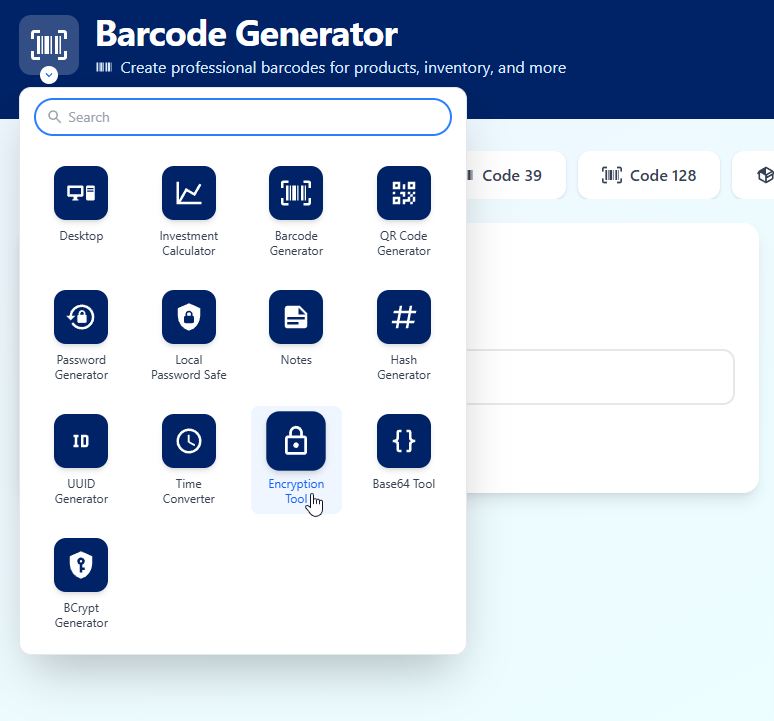
This dropdown appears in the header of every application, listing all available sio.sh tools. Because ProJor has higher-level knowledge of what applications exist, it can:
- Generate a TypeScript interface listing all applications
- Create the chooser component with correct links and metadata
- Include it in every application's header
- Keep everything in sync automatically
If we add a new application, we simply regenerate, and the chooser updates everywhere. This ensures a completely unified navigation experience across our entire ecosystem.
The Language Selector
Similarly, our language selector is generated with awareness of which languages each application supports:
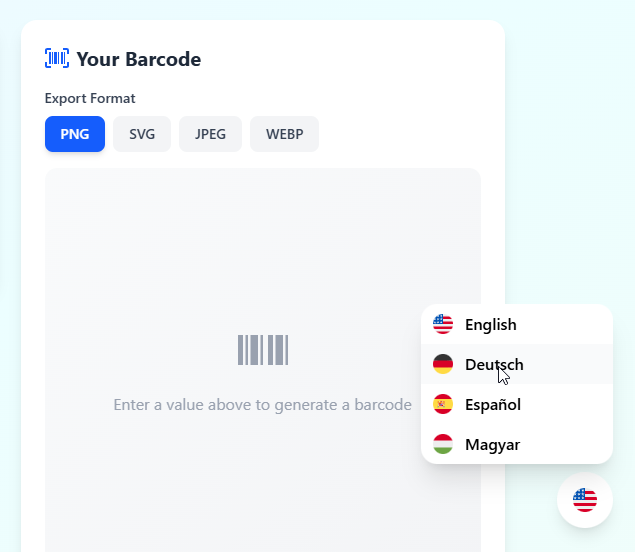
The selector knows the current language, the available alternatives, and the correct URLs to switch between them. It's generated once and works consistently everywhere.
Enforcing Quality with Generated Tests
ProJor generates end-to-end test cases for each application. These tests:
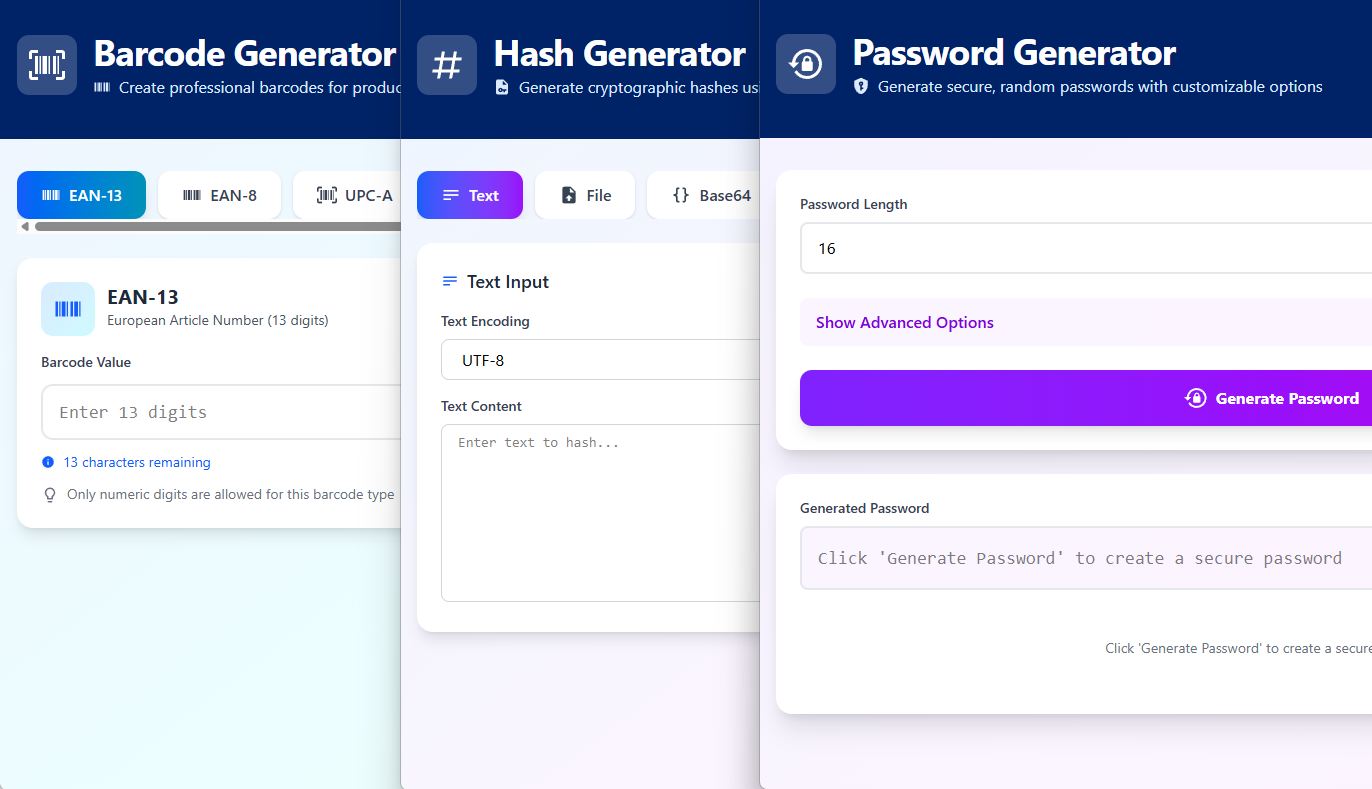
- Screenshot every application to verify visual consistency
- Check for required links (Terms of Service, Privacy Policy)
- Verify the language selector works correctly
- Ensure the application chooser is present and functional
This automated testing catches regressions before deployment and ensures our quality standards are met uniformly.
The README File
ProJor generates a single comprehensive README at the repository root that provides:
- Quick-reference development server commands at the top
- A dedicated section for each application with its specific details
- Consistent documentation format across all applications
This centralized documentation gives developers an instant overview of the entire ecosystem while still providing application-specific guidance. It stays accurate because it's generated from the same source of truth as the applications themselves.
The Secret Weapon: AGENTS.md
Here's a crucial detail that ties everything together: we include an AGENTS.md file in every repository. This file contains instructions for AI coding assistants on how to work with the project.
With all our generated structure, strict quality checks (TypeScript, ESLint, formatting), and consistent patterns in place, we can:
- Use ProJor to generate the complete boilerplate for a new application
- Let an AI agent implement the actual application logic
- Trust that the result will meet our quality standards
The combination of ProJor's code generation and AI-guided development means we can create new applications incredibly quickly while maintaining high standards.
Strict Quality Checks
Every generated application must pass:
- TypeScript type checking (no
anyescapes) - ESLint validation (strict rules, no warnings)
- Prettier formatting (consistent style everywhere)
These quality checks don't run in our CI/CD pipeline—instead, they serve as guardrails for AI agents developing the applications. The strict, uniform checks guide the AI to produce high-quality code that meets our standards. ProJor ensures the configuration is identical across all applications, giving every AI agent the same clear guidelines to work with.
Deployment Ready
ProJor generates CI/CD configuration snippets for each application. Our CI/CD pipeline is responsible for building and publishing application packages to Google Artifact Registry. From there, our ingress infrastructure downloads the new site content and serves it to users. When we add a new application, the deployment pipeline configuration is already written and ready to go—we simply include the generated configuration, and the application automatically becomes part of our build and deployment process.
The Results
Using ProJor for code generation at sio.sh has given us:
- Consistency: Every application looks, behaves, and is structured identically
- Maintainability: Configuration changes propagate across all applications instantly
- Quality: Strict, uniform quality checks catch issues early
- Velocity: New applications can be bootstrapped and deployed in hours, not days
- Generated Features: Components like the app chooser that would be impractical to maintain manually
- Documentation: Always up-to-date README files
- Testing: Automated visual and functional testing across the entire ecosystem
What's Next?
We're continuously expanding our "Helpful Things" collection at sio.sh. Each new application benefits from all the infrastructure, patterns, and tooling we've built. ProJor makes this scalable—we don't fear adding complexity because we know our code generation will keep everything manageable.
If you're building multiple related projects or applications with shared structure, consider using a code generator like ProJor. The upfront investment in templates pays dividends as your ecosystem grows.
Check out ProJor at projor.io and explore our applications at sio.sh.
Have questions about ProJor or our approach to code generation? Reach out to us at info@siocode.hu.